EyeToy games in VR
I decided to try playing the EyeToy, but in VR.
In 2003, the EyeToy released for the Playstation 2. Alongside with it, EyeToy: Play. A fun little piece of technology from an era where third-party accessories were a common sight. As a child I played that game for hours, but we lost the camera at some point. Now, 23 years later, armed with an emulator, a VR headset and a silly idea I decided to revisit the game.
The setup
A few years ago, PCSX2 added support for the EyeToy. It lets you use any webcam for that. I own a webcam, but decided that'd be too easy, the computer shall not gaze at my real form for this. Plus the way it's mounted is sub-optimal for any motion controlled game. Thus I decided, to use a virtual webcam.
OBS
is among my favourite software to use. And among its long list of features, is a virtual camera output.
This lets us use anything that OBS captures as a camera in other programs, including PCSX2.
There was one caveat to this though. The output resolution had to be matching the EyeToy's 320×240
resolution. Using another resolution resulted in the camera image captured by PCSX2 being corrupted.
With the virtual camera in OBS ready, I had to give it something to display. So I decided to put on my VR headset and launch VRChat. In a private world I placed down a camera and captured the VRChat window in OBS. I now had a virtual camera displaying an avatar in a virtual living room. A method I sometimes also use for video calls with friends. All that's missing is a virtual TV displaying the game!
Depending on the platform, there are different options available for this step. If you're using SteamVR, you can use its overlay to pin a floating window into 3d space where you put the camera. Since I'm doing this on Linux, I've been connecting my headset using WiVRn, which means that SteamVR and its overlay isn't available. Luckily, wayvr exists and has all the features I need for this. I take the PS2 emulator's window and put it below where the camera is, just like I had the EyeToy on top of the TV as a child, but in a virtual space instead.
With everything ready, all that was left to do was to tell the emulator to use the virtual camera as an EyeToy in the controller settings and start the game.
The result
It all actually worked pretty well! I could play all the different minigames that were available in EyeToy: Play. I did the whole thing while on a call with a friend, showing him all the steps, and he found the thing very silly.
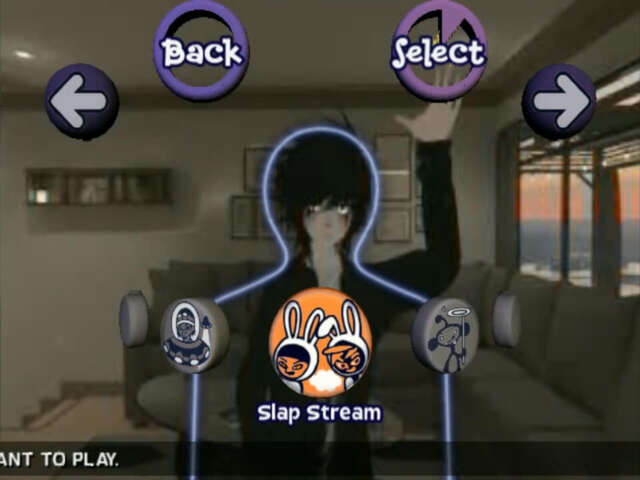
The main drawback of my method was the fact that having a VR headset on my head was quite a bit more exhausting than playing it normally. Plus my equipment is in not the best condition, causing stick drift on the right controller. But the committment to the bit was worth it.
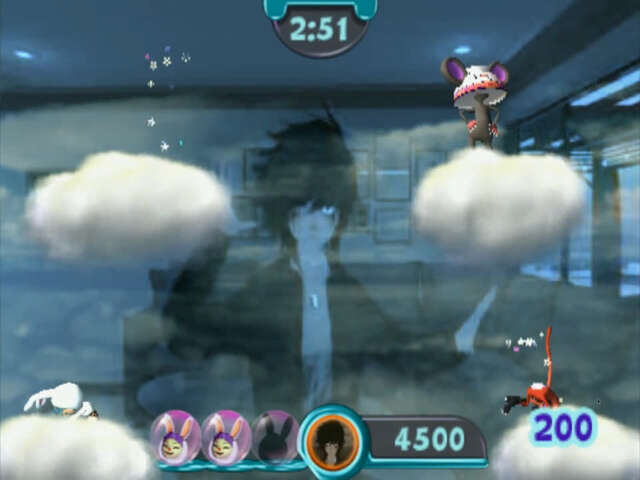
I also got to enjoy some modern features of emulation like community leaderboards and cloud saves synced to my personal server! I did all these things on my Linux PC, but since these programs are cross-platform it should work on a Windows PC too. If you can play VR on a Mac you can probably do that there as well.
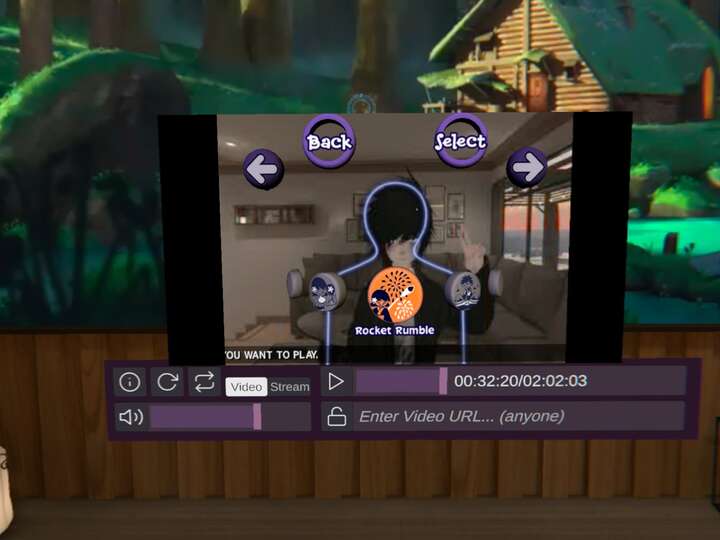
Don't mind the video controls, that world had a video player in the TV.
Conclusion
While this was a fun experiment, I probably won't be playing the games like this exclusively. Mainly due to the complications wearing VR devices brings
like the weight and sweating.
But this solution can work very well for someone like a VTuber taking permanent residence on the wired wanting to play games like this.
Being able to do a similar thing to the Kinect would be awesome, but as no emulator supports that as of now that shall for now remain a dream.